Dominant UX trends: Forecast for 2026

As UX professionals, our goal is to create digital products that will be useful and desirable for people well into the future. We should always try to be one step ahead to anticipate their needs and expectations about digital products.
What can seem like a niche trend can very quickly become a basic expectation. To make sure that users will be satisfied with our products in the long term, we need to be aware of emerging UX design trends, and integrate them into our products.
.png)
What’s happening in UX design in 2026? Are we doing the right things? What’s important to us as UX professionals? What lies ahead in the industry?
We should ask ourselves these questions when envisioning developing products and designing interfaces fit for 2026. While exploring ideas for staying ahead, delving into current UI trends is a valuable exercise. Yet, we shouldn't limit our focus to the UI. Contemplating the function of UX in 2026 is equally important.
In 2026, we should be on the lookout for the following UX trends:
- AI: tools for UX professionals, integrations, agentic UX
- Personalisation and context awareness
- Voice user interfaces
- Inclusivity as a mindset
- Haptic feedback
AI: tools for UX professionals, integrations, agentic UX
We can’t talk about the latest trends in UX without mentioning AI. As AI becomes integral to user experiences, UX designers must be able to integrate AI-driven features into products. Prototyping and usability testing for iterations involving AI features may bring new challenges that UX professionals need to solve working together.
As UXers are getting ready to design and test more and more AI-powered interfaces in 2026, they should also be aware of the growing number of AI tools for UX design and research. Designers are increasingly pushed towards generalist roles by their companies with the adoption of AI tools. There’s anxiety about “proving you can keep up.”
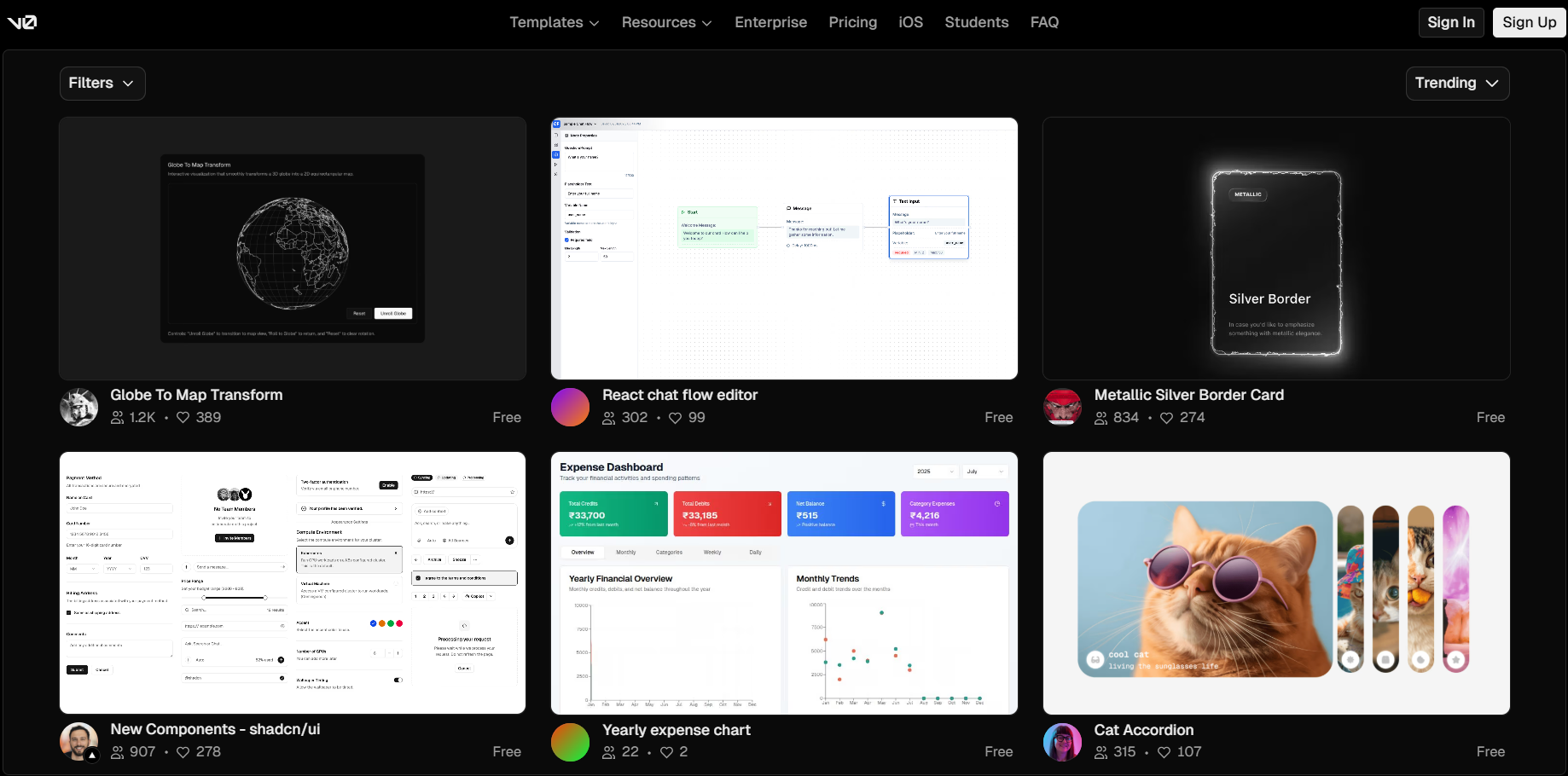
To help you with these, we reviewed AI-powered design tools that are reshaping the creative landscape by offering fast, high-volume ideation capabilities. While they can boost efficiency, these tools face limitations like generic outputs, inconsistent designs, and a lack of deep contextual understanding.
For these reasons, they’re ideal for simple projects or early design phases to help with ideation, but human expertise will remain essential for complex designs, strategic intent, and nuanced audience targeting.
We should also point out that design and prototyping tools have lagged behind AI advancements, making it harder to test and iterate AI-specific challenges like realistic behavior and real-world scenarios. Without updates from tools like Figma to include AI-focused testing features, designers might only see realistic testing in beta versions, increasing costs and reducing the efficiency of early prototyping.
When evaluating UX Research tools enhanced by AI, we had similar experiences. These tools are useful for simplifying repetitive tasks and for basic data analysis and by doing so, they are great for speeding up initial work.
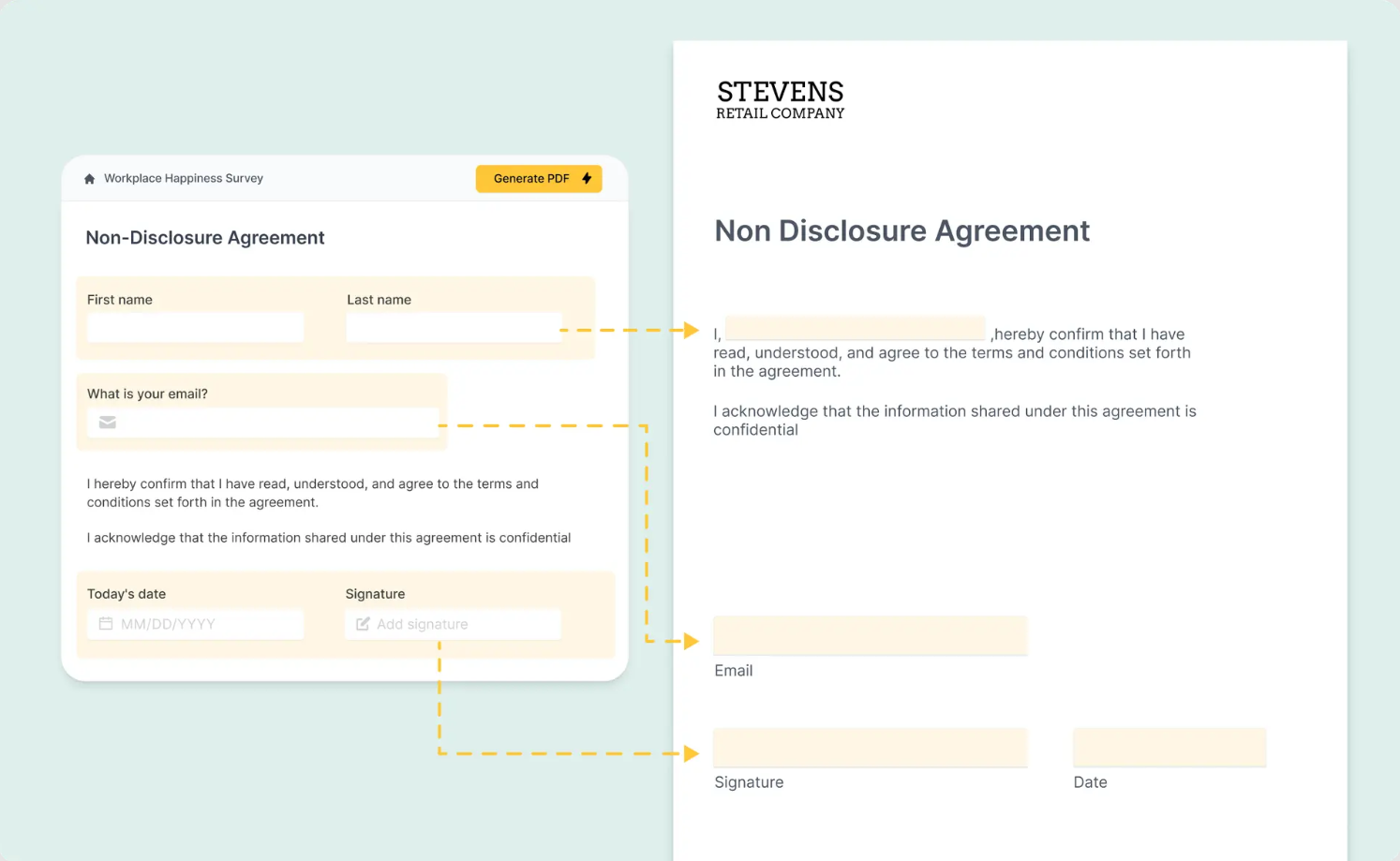
However, we should note that these tools often miss context, produce general answers, and lack creativity, therefore they are not suitable for presenting nuanced insights. As these tools produce overly broad results, human supervision is needed to add depth, as well as to check accuracy to ensure the research results are reliable.
Also, we shouldn’t forget the carbon footprint AI has. Google’s greenhouse gas emissions between 2019 and 2023 have risen by 48%, and in their 2024 Environmental Report they explain that the rising emissions are "due to increasing energy demands from the greater intensity of AI compute".
Over the past year, numerous reports have highlighted the vast water consumption of AI systems and the massive data centers being built in already drought-prone regions, both in the US and Europe, underscoring not only AI’s carbon footprint but also its growing strain on natural resources.
So it’s essential to note that adding AI integrations to a product should be meaningful and not done to merely follow trends.

Each individual UXer may have had a preference on how much of their tasks they were willing to hand over to AI, but we should all be aware that with AI being able to automate some of our tasks, faster project timelines will become the norm. To keep up with this UX trend, UX professionals should learn how to integrate AI tools into their workflows to meet more demanding timelines without losing quality, but do it mindfully and not overuse AI.
As UX professionals, it is best to think of AI as a very patient assistant who needs a lot of direction and monitoring instead of something who can do all the work.
Agentic UX
Agentic AI tools prioritize decision-making over content creation and do not require human prompts.
At UX studio, we use Slack for our team communication and we’ve recently seen a good example for agentic UX when Slack’s AI assistant summarized a really long thread of messages into a simple, easy to skim through paragraph with all the most important information that was sent previously.
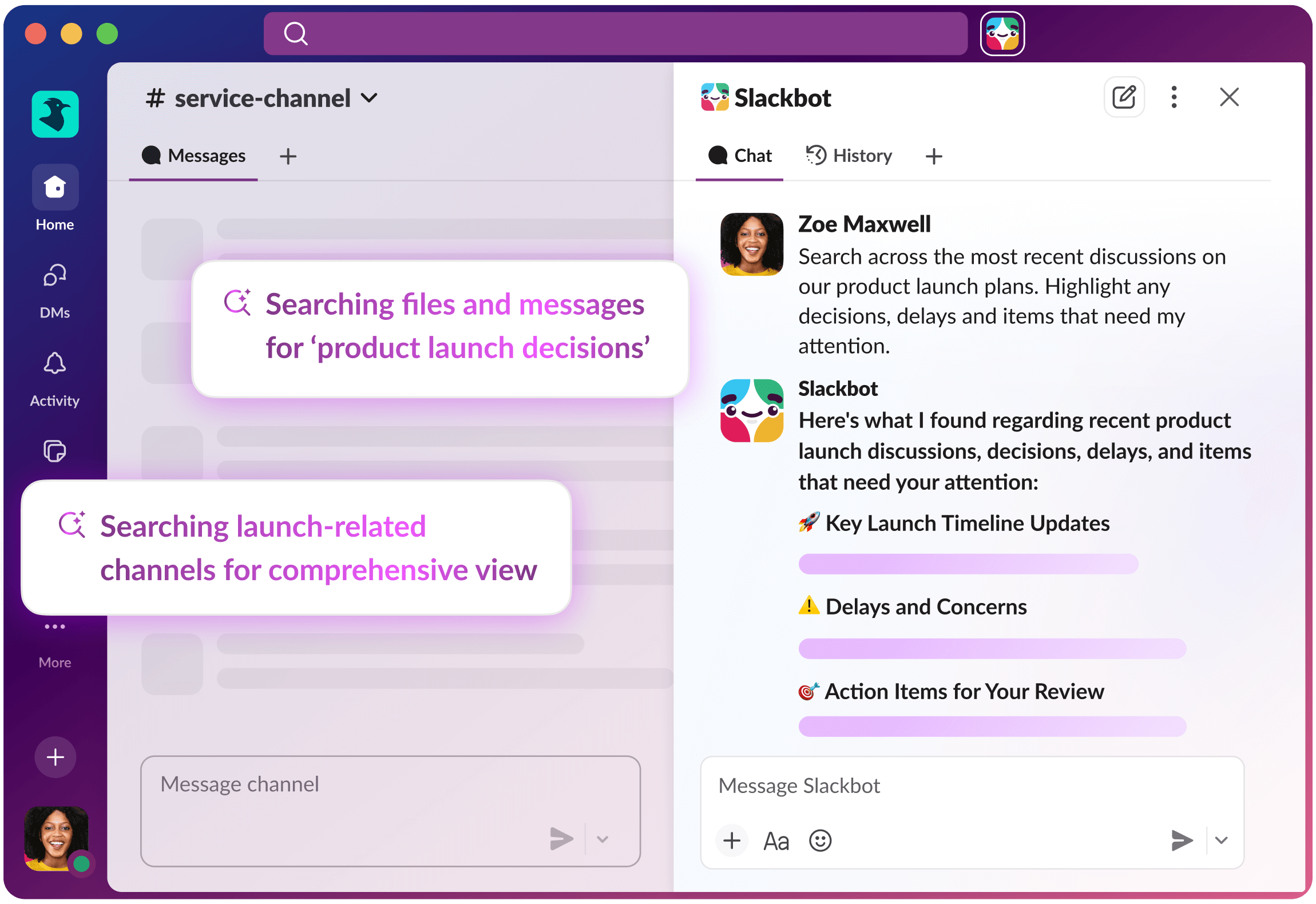
While agentic UX can be very useful and time saving, it’s going to be essential for designers to be able to show the reasoning and thought process behind why AI was making a choice on the users’ behalf, to build trust and transparency. Designers have to show what AI is doing and why, and how can the users override that if they wish.
Personalisation and context awareness
Personalisation is another UX trend to keep in mind when designing digital products in 2026. Products with hyper-personalisation elements rely on users’ data to adapt to their individual needs. By analysing their behaviour, products can predict their preferences and produce content that is tailored for individual users.
Types of personalized content can include recommendations based on users’ interests, adjusted layouts that resonate with what people previously interacted with, or dynamically changing the amount of content that is displayed.
In practice, it could mean:
- e-commerce platforms reorganising their interfaces to highlight users’ preferred categories,
- financial apps providing budgeting tips,
- investment recommendations or spending insights tailored to a user’s financial habits,
- or e-learning platforms adjusting course difficulty and pacing based on a student’s progress and learning style.
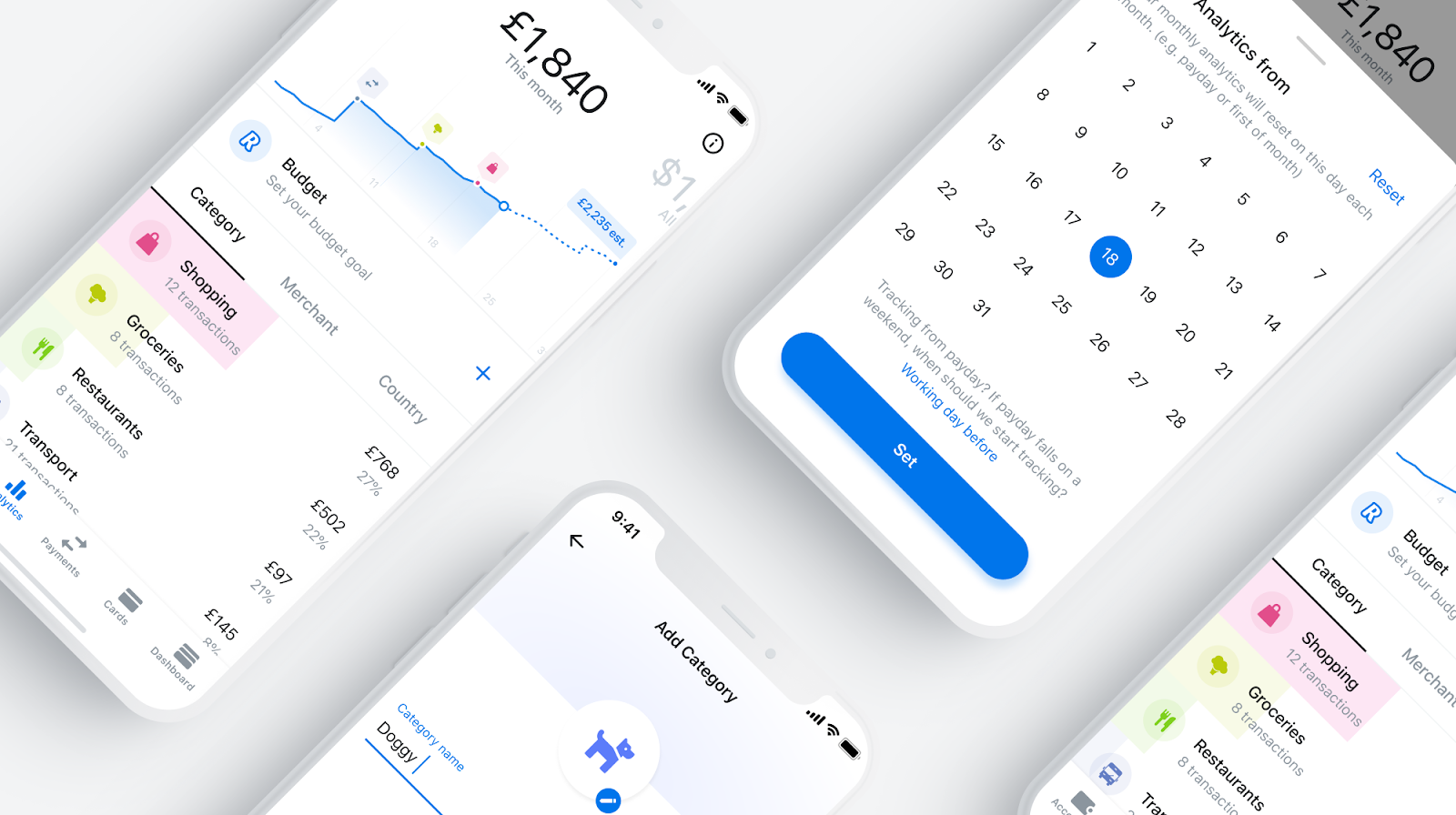
Regardless of what type of personalisation features a product will contain, following this UX trend will allow designers to create experiences that resonate more with users.This way they can increase user satisfaction, loyalty, and, ultimately, business growth.
Personalisation is also heavily relying on context awareness: users' devices have to understand where they are at the moment and what they are doing and adjust accordingly automatically.
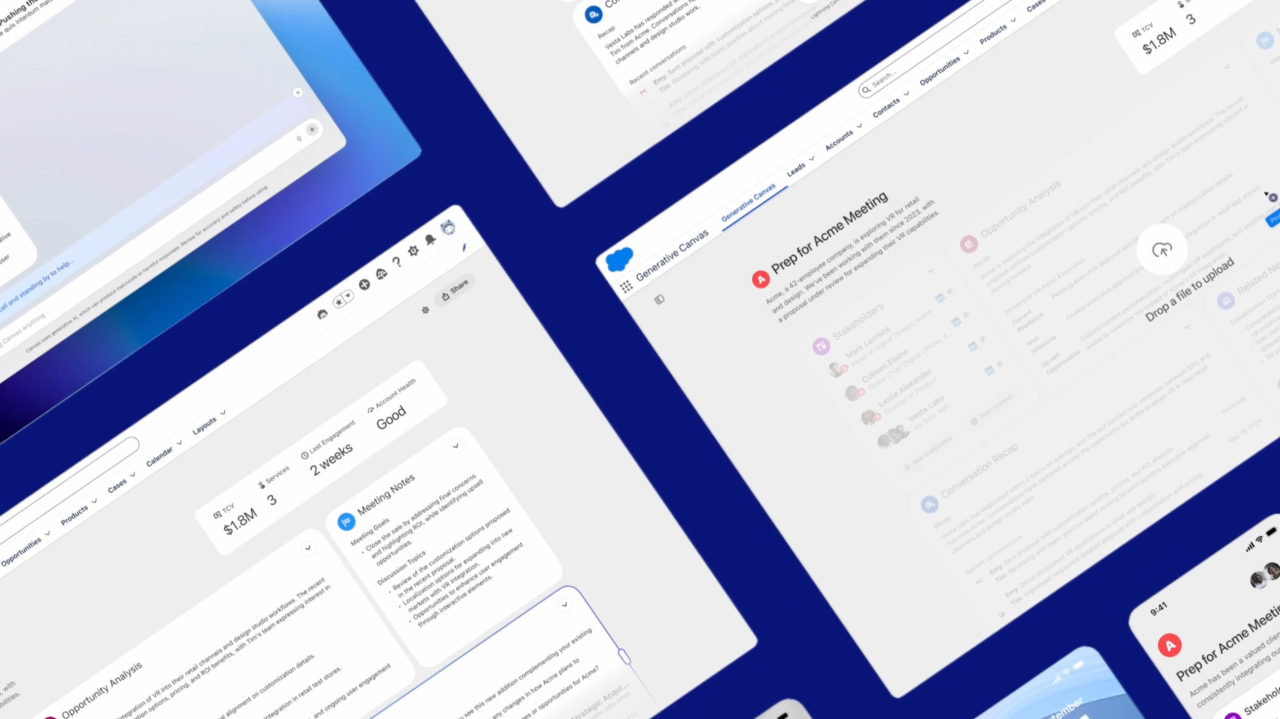
Personalisation is something products have been implementing successfully. TikTok’s content algorithm and Netflix’s personalized suggestions are prime examples of how personalization drives engagement and loyalty. Outside the entertainment sector, Generative Canvas by Salesforce could improve teams’ efficiency by dynamically generating outputs on its interface (tables, charts, summaries) that are adapted to each user’s role and tasks. Whether based on written or spoken interactions or already existing data, it instantly creates actionable insights for the users.
As hyperpersonalization relies on user data, security issues arise. Users need to have the option of informed consent, and the ability to revoke consent and delete data. UX teams must have a clear picture of user preferences about privacy, control, and data management.
Apps, websites and softwares need to have tailored onboarding and give power to the user by letting them adjust their privacy settings and personalize at their own pace. The key is that their experiences have to feel effortless, almost futuristic, but genuinely safe.
Inclusivity as a mindset
Designing for inclusivity is also becoming a defining UX trend for 2026, focusing on creating digital products that address the needs of every user, regardless of ability or background. The goal of inclusive design is to create experiences that are accessible and usable by the broadest range of people.
Even though regulations are now emerging to make products more accessible, such as the European Accessibility Act, having inclusivity as a mindset goes beyond compliance with accessibility standards. To create inclusive products, we should be proactively seeking to include people with varying needs and abilities in the design process. Some aspects of inclusive design and how it acts as a mindset shift to form better UX are the following:
Inclusive design involves understanding and incorporating the perspectives of a diverse range of users. This includes considering age, gender, cultural background, physical and cognitive abilities, and more. The mindset shift here is from designing for a perceived "average" user to designing for a spectrum of users.
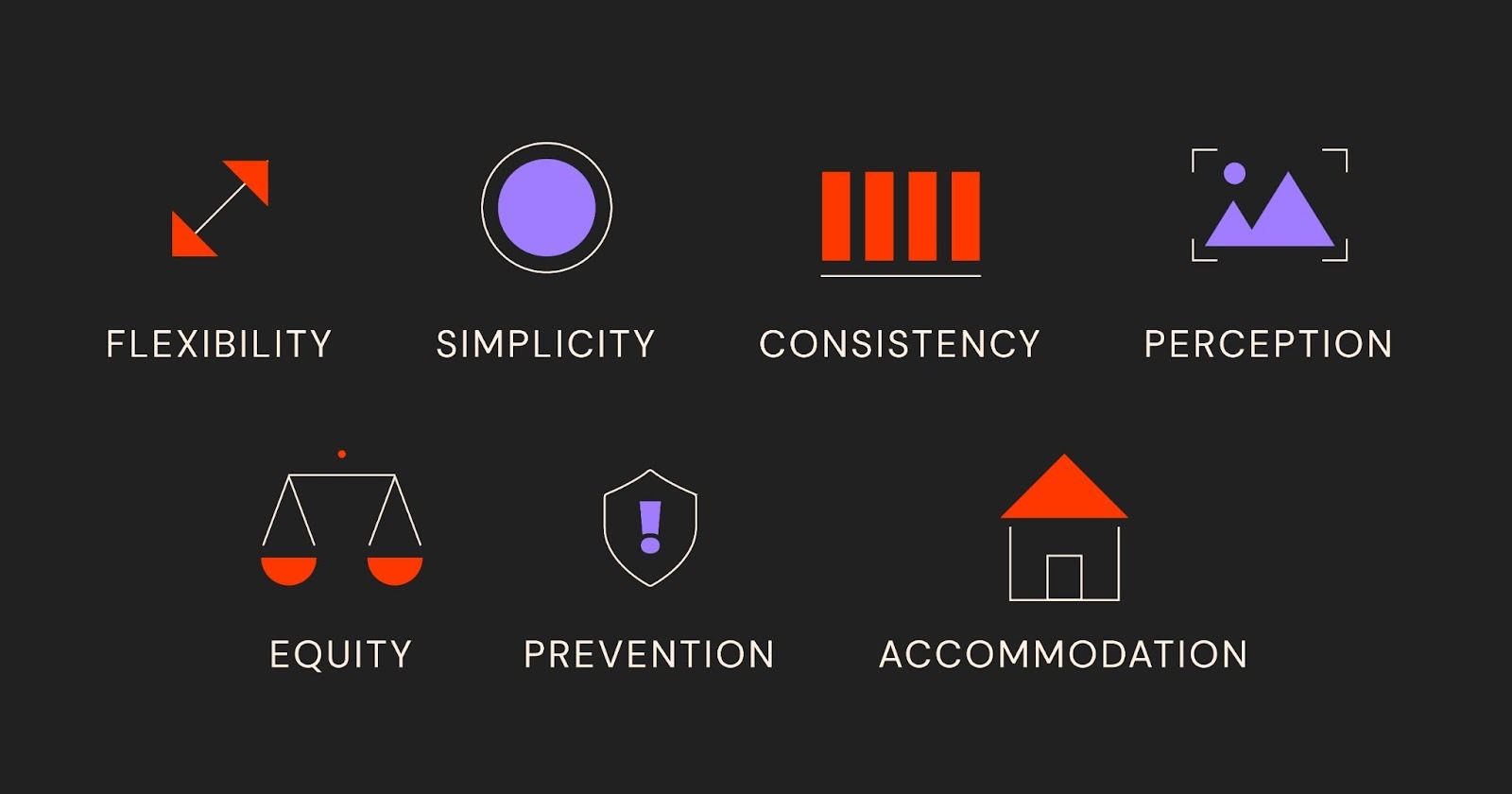
Inclusive design considers the various contexts and environments in which users may interact with a product or service. This includes considering different devices, network conditions, and environmental constraints. The mindset shift is towards designing for real-world situations rather than idealized conditions.
Inclusive design also considers the long-term impact of design decisions on users and society. It aims to create sustainable and resilient solutions that stand the test of time, accommodating changes in technology and societal norms.
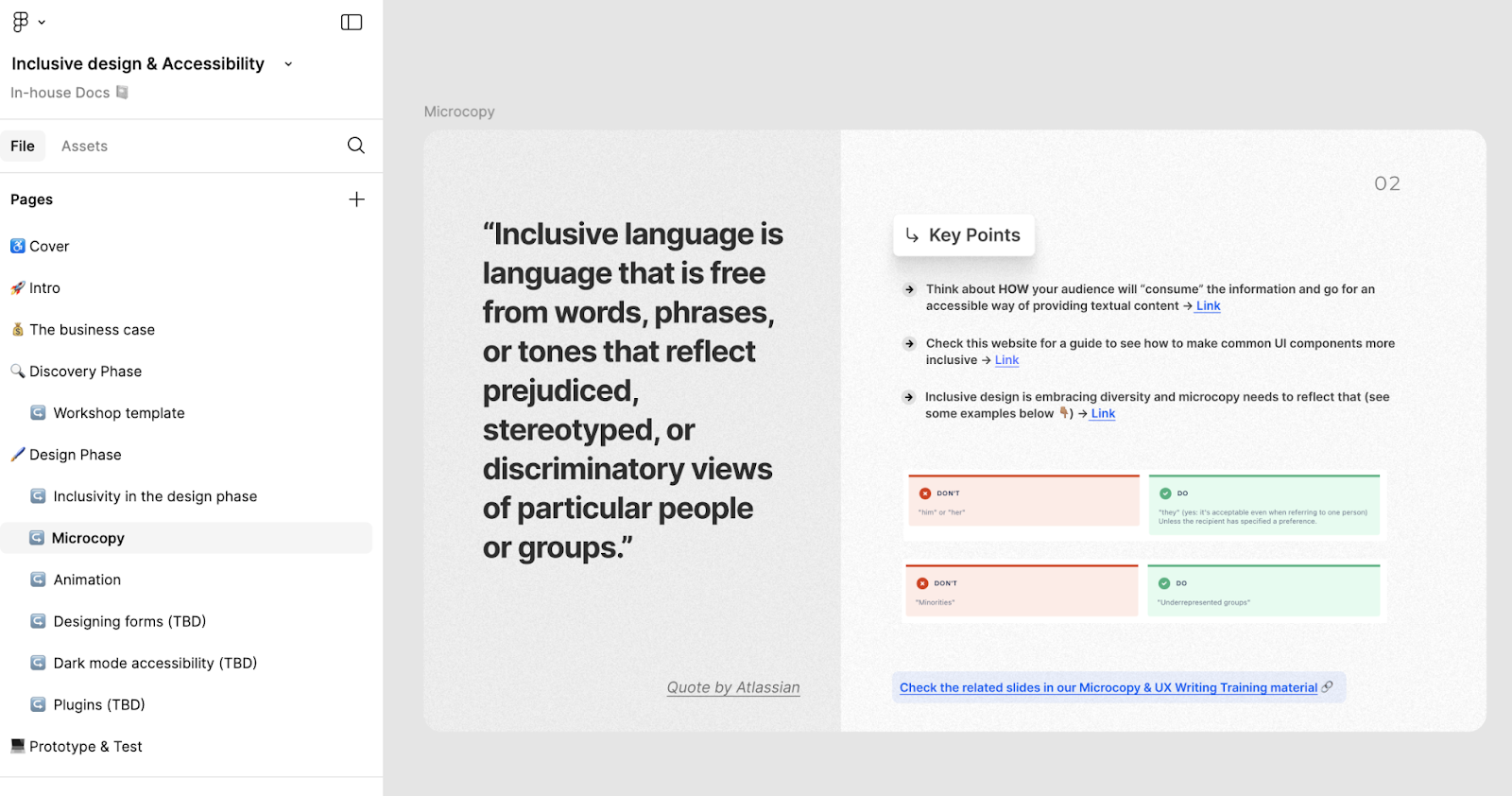
At UX studio we decided to explore how we can incorporate inclusive design and accessibility in each stage of the design thinking process; see our journey with inclusive design here.
Haptic feedback
UX studio being an international team, many of us speak multiple languages and many of us are enthusiastic Duolingo users with impressive, more than a 1000 day streaks. We could not help but notice that Duolingo introduced new extra elements to their app in the form of haptic feedback and vibrations. While many users are fond of these additions, there are several forum topics and even tutorial videos about how to turn them off. Let’s see what haptic feedback is and how it can be something that adds to the design!
Gamers are probably familiar with the controller vibrating in their hands when taking actions, but with smartphones, haptic feedback goes one step further. Your phone sends different pulses and clicks when pressing a button, and these tactile experiences can be a big part of how we interact with technology.
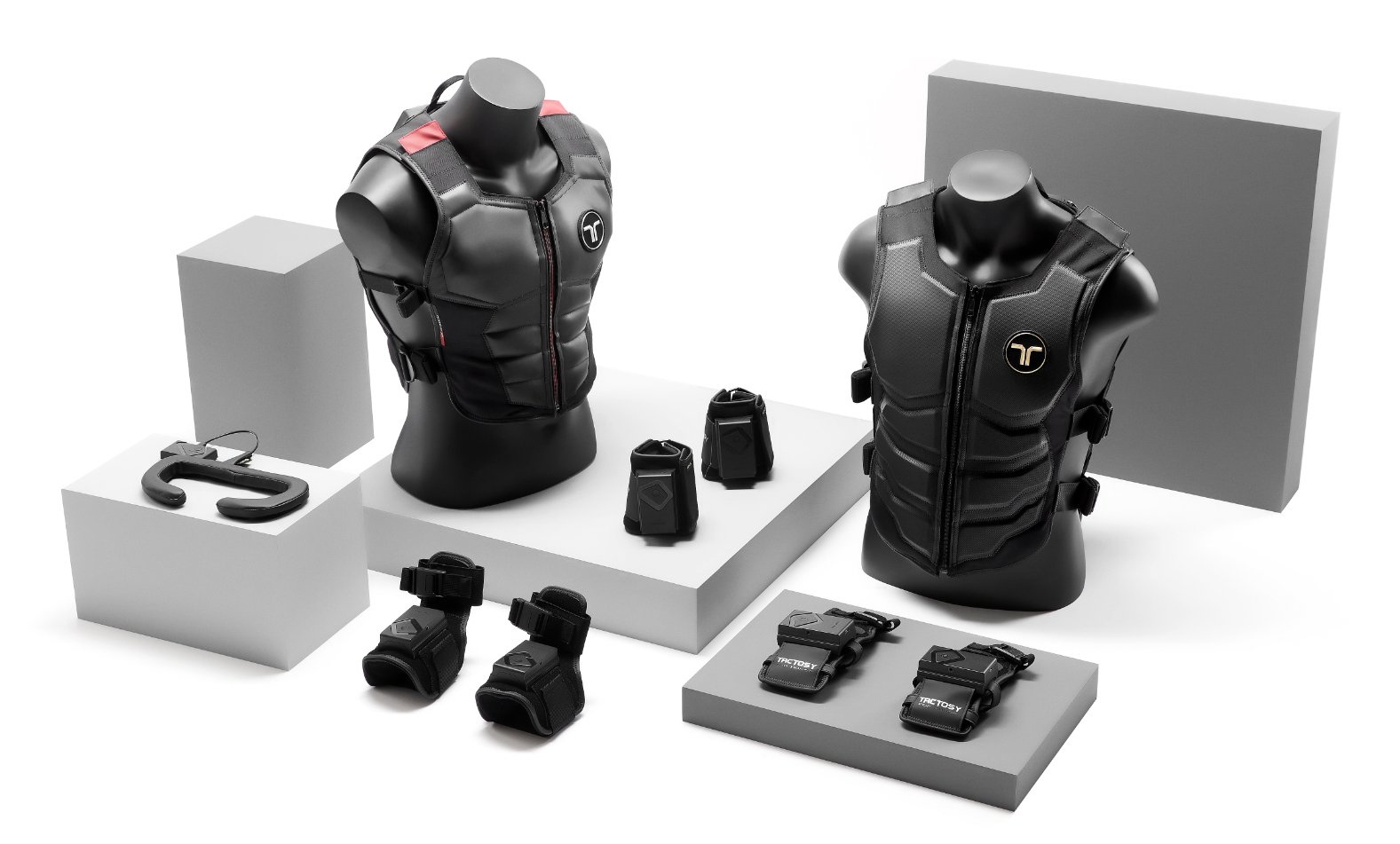
Since these sensations are physical, they stimulate the sense of a physical presence. Touch plays an important role in how people make sense of the world and also the devices they use. Haptic feedback is the use of touch to communicate with users. Haptic feedback has a powerful role in improving the user experience by letting users know that they’ve done something and the device has received their input.
There are several different types of haptic feedback:.
- The most common vibrotactile haptic is basically the buzz of your phone, when sound is communicated through vibrations. It’s used to enhance the sense of interaction when users type, swipe, and receive notifications.
- Microfluids are also a subtype: this technology utilises fluids that go through containers.
- Another common type is surface haptics, like unlocking your phone with your fingerprint. Interactive touch to a physical surface prompts a tactile effect. This is a field that is emerging rapidly as many companies are working on mimicking different textures in the virtual world.
- The latest technology is ultrasonic mid-air haptics when a tactile sensation is generated in the users’ body without any direct interaction to it.
Best practices for using haptics are making them intuitive, subtle and non-intrusive. The thing most Duolingo users were complaining about is the huge lightning bolt zigzagging through their screen, while their phone was vibrating like crazy, when making several good answers in a row. It’s not rewarding for them, it’s distracting.
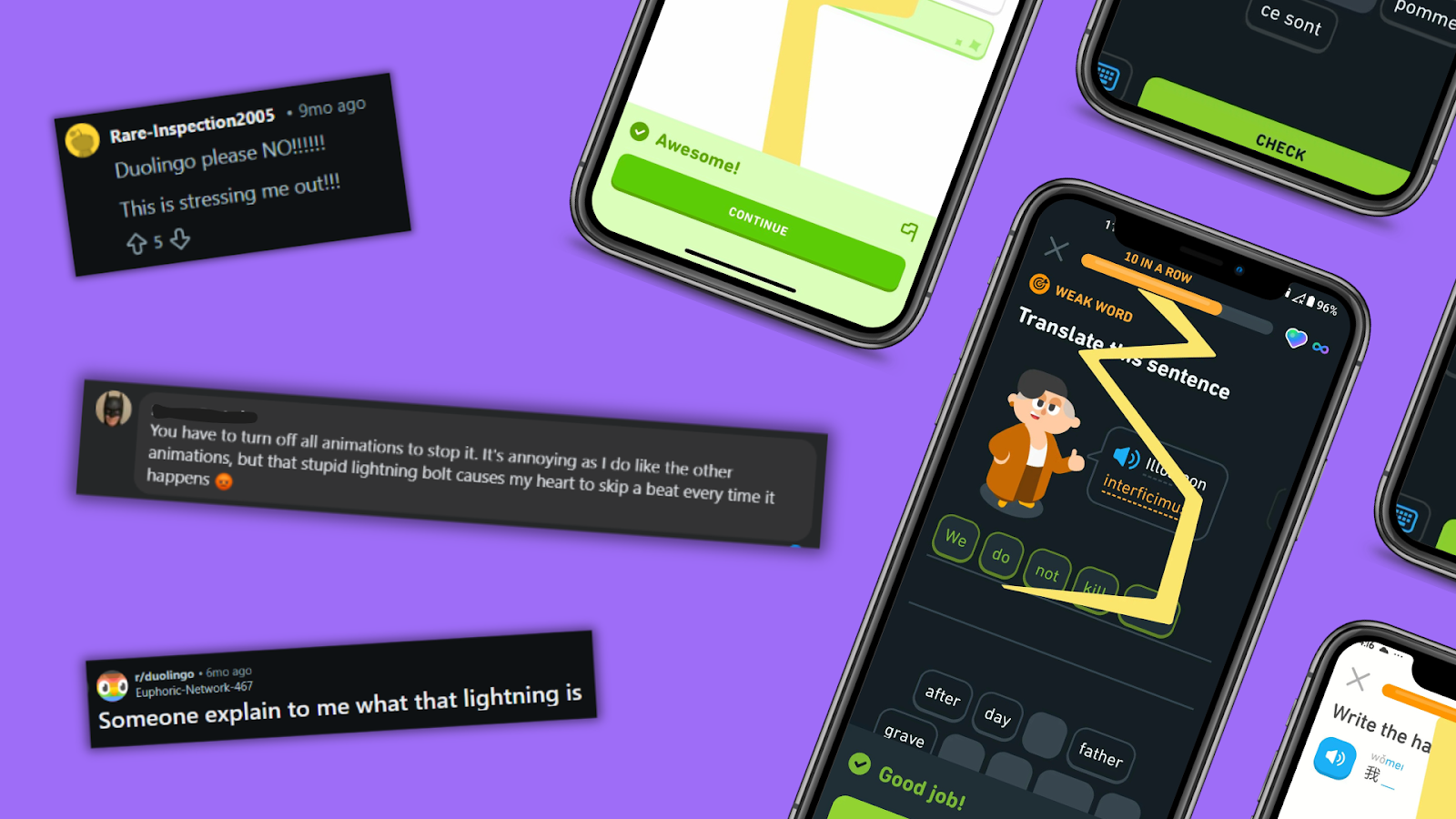
Duolingo's example can show that carefully designing these interactions is even more important when making changes in an already existing app. Overusing haptics can lead to user fatigue, so it’s important to allow users to customize their experience. As we also mentioned above, there can be accessibility issues as well when using haptics for users who have motor or sensory impairments.
Summing up the upcoming UX trends
As we look ahead, the latest trends in UX design for 2026 emphasize innovation, convenience, accessibility, and inclusivity.
Artificial intelligence continues to transform digital products, offering smarter features and reshaping workflows for UX professionals, while personalisation will be another central feature, allowing products to deliver tailored experiences that resonate with individual users, and therefore driving engagement and loyalty. Inclusivity as a mindset ensures digital products can meet diverse user needs, and haptic feedback can bring the digital and physical space even closer.
By embracing these UX trends, professionals can design digital products that are innovative, user-centric, and ready to meet the demands of users of the future.

Searching for the right UX agency?
UX studio is a UX/UI research and product design agency specializing in B2B vertical SaaS. With 10+ years of experience and our own digital product line, we really know what it takes to build intuitive platforms.
Our clients choose us for our flexibility, deep industry knowledge and ability to plug into product teams like an extension of their own.
Need a partner, not just an agency?
- Check out our case studies
- Get in touch with us
Credits: this blog post was written by Fruzsina Fejes, UX researcher. Proofreading by Johanna Székelyhidi, marketing manager.